Tracking shipping has changed how customers understand a delivery after checkout. Instead of waiting without information, they can follow scans from the warehouse to the doorstep. A tracking number connects the shipment with updates recorded by the carrier. These updates may show label creation, pickup, transit, arrival at a local facility, and final delivery. The process is practical, but it is not perfectly instant. A parcel can move several miles before the next scan appears.
For businesses, tracking shipping supports clearer communication and better service decisions. Staff can compare carrier records with warehouse logs, then investigate delays or damaged packaging. Customers can check an estimated delivery date and prepare for arrival. A typical update might read “Arrived at regional facility” while the parcel sits among thousands of cartons under bright sorting lights. Some systems also show delivery attempts, weather disruptions, or address-related exceptions. These details help, although estimated times can change.
Accuracy depends on the carrier, scanning equipment, route, and data integration. A missing update does not always mean that a shipment is lost. It may reflect a delayed scan or a transfer between facilities. Responsible tracking should also limit personal information and use secure access. This guide explains how tracking data moves, what common statuses mean, and how readers can respond when updates stop. The process seems simple from a phone screen. Behind it, many small handoffs matter. Mistakes still happen. Recognizing that uncertainty leads to more realistic expectations and more useful customer support.
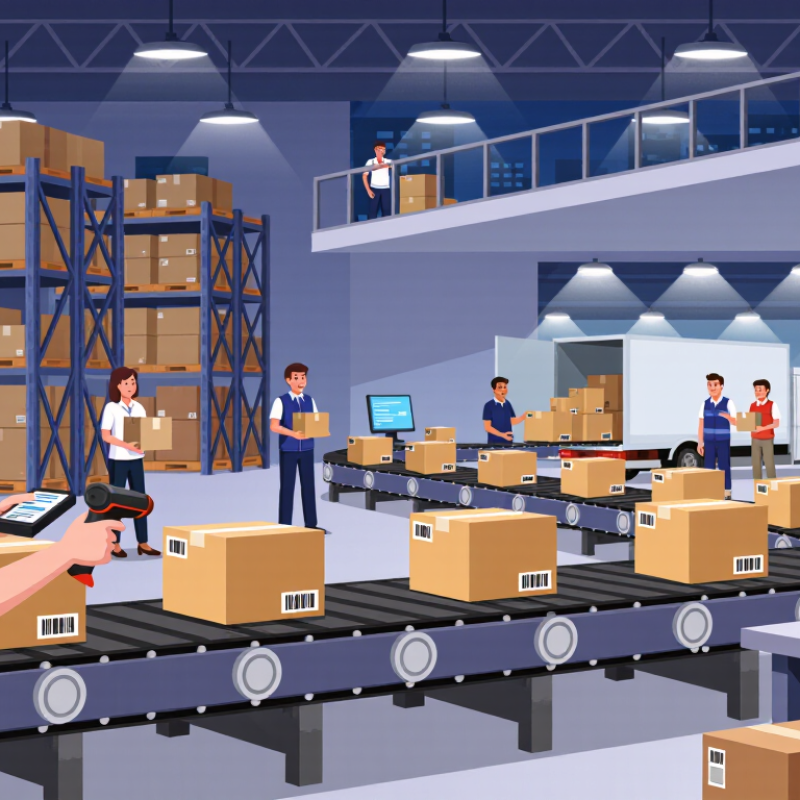
What Is Shipping Tracking and Why Does It Matter?
Shipping tracking is a shared timeline between a carrier, seller, and customer. Each scan records a parcel’s movement, such as pickup, sorting, departure, or delivery. The system then converts these events into an estimated arrival date. It is not magic. A missing scan can make a moving parcel appear inactive.
Its value becomes clearer as delivery networks expand. The 2023 Global Parcel Shipping Index reported 161.8 billion parcels worldwide in 2022. At this scale, manual updates are too slow and error-prone. Clear tracking reduces “Where is my order?” requests and helps teams identify delays before customers complain. A checkout benchmark based on 48 research studies found an average cart abandonment rate of 70.19%. Delivery uncertainty may not cause every abandonment, but visible shipping information can reduce hesitation.
Tracking also supports better decisions after dispatch. A delayed parcel may need a service message, address review, or customer support follow-up. In practice, estimated dates are still imperfect. Weather, customs processing, and overloaded sorting centers can change them quickly. Treating an estimate as a promise creates avoidable frustration. Good tracking explains the latest event, shows the next likely step, and states when the information was last updated. That small detail builds credibility.
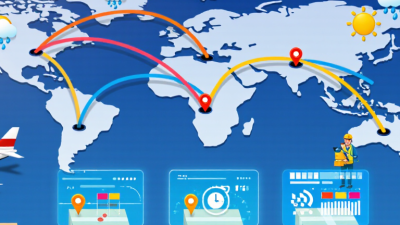
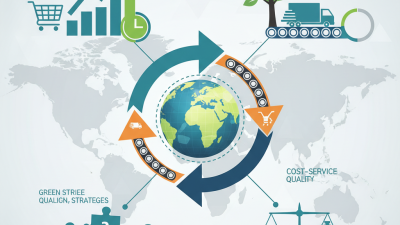
Shipping tracking records key scan events as a parcel moves through the delivery network. Transit time varies by transport mode, so tracking helps customers understand progress, identify delays, and estimate arrival.
Typical international transit-time estimates: actual delivery times depend on distance, customs processing, weather, congestion, and service level.
How Tracking Systems Follow a Shipment’s Journey
A tracking system follows a shipment through recorded events, not continuous movement. Each handoff creates a digital checkpoint. A barcode or RFID tag identifies the parcel. The origin facility records its weight, location, and departure time. Sorting centers add new scans as the parcel moves through planned routes. Delivery workers then confirm the final handoff, often with a time, location, and recipient record.
The 2024 Global Parcel Shipping Index reported 161.8 billion parcels worldwide in 2023. That scale makes automated tracking essential. Systems combine scan data, GPS signals, route updates, and electronic shipping records. A status such as “in transit” usually means the last facility scan remains active. It does not prove the parcel is moving at that moment. Customs checks, weather, damaged labels, or missed scans can create quiet gaps. The screen may look precise. The journey is not always precise.
Tips: Check the scan time and location, not only the status phrase. Keep the tracking number unchanged. If updates stop for several business days, contact the carrier or seller with the shipment details. Operational teams should compare scan times with handoff records. Small timing errors can reveal larger process problems.
| Journey Stage | Tracking Event | What Happens | Data Typically Recorded | Customer-Facing Status | How the System Follows the Shipment |
|---|---|---|---|---|---|
| 1. Shipment Created | Shipping label or electronic shipment record is generated | The sender enters the origin, destination, package details, service level, and delivery instructions. | Tracking number, sender and recipient routing details, package dimensions, weight, service type, and creation time | Label Created | The tracking number becomes the shipment’s unique reference used to connect later scans and updates. |
| 2. Package Accepted | Package is handed to a carrier or accepted at a shipping facility | The shipment enters the physical delivery network after being collected or presented at an acceptance point. | Acceptance location, scan time, package count, measured weight, and custody event | Accepted | A barcode or electronic identifier is scanned to associate the physical package with its digital record. |
| 3. Origin Processing | Package is sorted at the first processing facility | Automated or manual sorting directs the shipment toward the appropriate regional or international route. | Facility identifier, sorting lane, scan time, routing code, and handling exception if detected | Processed at Origin Facility | Conveyor scanners, handheld devices, and facility systems update the shipment record during handling. |
| 4. Transportation | Shipment departs for another facility or destination area | The package travels by road, air, rail, or a combination of transport methods. | Departure time, origin and destination facilities, transport movement, estimated arrival, and route status | In Transit | Tracking may update at departure and arrival points; continuous location updates are not available for every shipment. |
| 5. Cross-Border Processing | Shipment passes through export, import, or customs procedures | Required documents and declarations are reviewed before the shipment can continue across a border. | Customs documentation status, declared contents, declared value, inspection event, duties, and release decision | Customs Clearance | Electronic data exchanges and physical scans link the shipment record with customs and transportation milestones. |
| 6. Destination Processing | Shipment arrives at a facility serving the delivery area | The package is received, sorted by delivery route, and prepared for the final transportation leg. | Arrival facility, arrival time, route assignment, delivery-area code, and service commitment | At Destination Facility | The latest facility scan confirms that the shipment has entered the destination network. |
| 7. Last-Mile Delivery | Package is loaded for delivery and delivered to the destination | A delivery worker transports the shipment from a local facility to the delivery address or collection point. | Vehicle or route assignment, out-for-delivery time, delivery attempt, delivery time, and proof of delivery | Out for Delivery | Route scans, handheld devices, delivery signatures, photographs, access records, or recipient confirmations may update the status. |
| 8. Delivery Completed | Shipment is recorded as successfully delivered | The package reaches the recipient, an authorized person, a secure location, or an approved collection point. | Delivery date and time, delivery location, recipient confirmation, signature where required, and delivery method | Delivered | The final delivery event closes the active tracking journey and preserves a delivery record for later reference. |
| 9. Exception Handling | Unexpected event interrupts normal movement | Examples include an incorrect address, failed delivery attempt, damaged package, severe weather, or transport delay. | Exception type, event time, facility or route, reason code, corrective action, and revised estimated delivery | Delivery Exception | Exception codes trigger a new status and may prompt address correction, rescheduling, investigation, or return processing. |
| 10. Return or Recovery | Shipment is redirected to the sender or a designated return location | A return may begin after a refused delivery, an undeliverable address, a customer request, or an approved return authorization. | Return reason, authorization reference, return route, reverse-logistics scans, and receipt by the sender | Returning to Sender | New scans and routing events are attached to the original tracking record or its linked return record. |
Tracking information is normally generated when a shipment is scanned or when a transportation system records a milestone. A tracking page may therefore show gaps between events, because many shipments are not continuously monitored by GPS.
A tracking update is a compact record of a parcel’s journey. It usually shows the current status, scan time, facility location, and estimated delivery date. Some updates also display the next expected step, such as “departed facility” or “out for delivery.” These details help customers understand movement without opening a support ticket.
The wording matters. “Label created” means shipment data exists, but the carrier may not have received the parcel. “In transit” confirms movement, though it does not reveal every stop. “Exception” signals a delay, address issue, weather event, or missed handoff. A delivered update may include the delivery time, location, and photo or signature record. According to the Pitney Bowes Parcel Shipping Index 2023, global parcel volume reached 161.2 billion items in 2022. At that scale, consistent scan data becomes essential for reliable customer communication.
Tracking information is useful, but not perfect. A parcel can move before its next scan appears. Sometimes an estimated date changes without a clear explanation. That gap deserves attention. Clear updates should separate confirmed facts from predictions and show when each event occurred. They should also identify the last verified location, not merely repeat “in transit.” Research from the 2023 International Post Corporation cross-border shopper survey indicates that delivery visibility strongly influences online buying confidence. Still, more tracking data does not always mean better service. Accuracy matters more than volume.
Package tracking begins when the sender creates a shipping label and hands over the parcel. The first scan confirms physical acceptance, not just preparation. Each later scan records movement through sorting centers, transport routes, customs processing, and local delivery stations. The 2023 Global Parcel Shipping Index reported 161.8 billion parcels worldwide in 2022. That volume explains why automated scans are essential.
Use the tracking number on the delivery provider’s official tracking page. Check the latest location, event time, estimated delivery date, and any exception notice. “In transit” usually means the parcel is moving between facilities. “Out for delivery” means a local driver has received it. A missing scan does not always mean a lost parcel. Rural routes, damaged labels, weather, or handoff delays can interrupt updates.
Look closely at the timestamps. A package may appear unchanged for twelve hours while traveling overnight. A 2023 international ecommerce delivery survey found that delivery visibility strongly influences repeat purchasing decisions. Still, tracking is an estimate, not a promise. I have seen parcels arrive before the system updated. That feels confusing. If no scan appears beyond the stated service window, contact the sender first and provide the complete tracking history. Keep screenshots and delivery instructions ready. Small details often speed up an investigation.
Tracking shipping means reading a parcel’s scanned journey from pickup to delivery. It is not a live map. Each update appears after a carrier scans the label, container, or vehicle. An international parcel-shipping index recorded 161.8 billion parcels worldwide in 2022. With that volume, a quiet tracking page does not always mean movement has stopped.
“Label created” means shipment data exists, but the parcel may not have entered the network. “In transit” usually means movement between facilities, not continuous travel. “Arrived at destination facility” can still precede local sorting. “Out for delivery” indicates a delivery route, though traffic, weather, or route changes may interrupt it. “Exception” is broader and needs attention. Common causes include an incomplete address, missed handoff, customs processing, damaged packaging, or severe weather. Industry delivery research consistently shows that delivery visibility strongly affects customer trust, but tracking data remains imperfect. A scan can arrive hours late. I have seen customers interpret silence as loss, which is understandable, but often wrong.
Tips: Check the promised delivery window, not only the latest scan. Allow one business day after a facility arrival. If “exception” remains unchanged for 48 hours, contact the seller or carrier. Keep the address and phone details consistent. Screenshots help. Still, tracking estimates can change; even careful interpretation cannot remove every delay.